10 Best Apps for Students in 2026 — Any Subject, Any Country
We tested over 30 popular digital tools, scrapbooked the fluff, and ranked the 10 absolute best apps for students worldwide. Whether you are prepping for SAT, GMAT, IELTS, professional certifications, or mastering a new skill, these free-tier tools will supercharge your study routine.
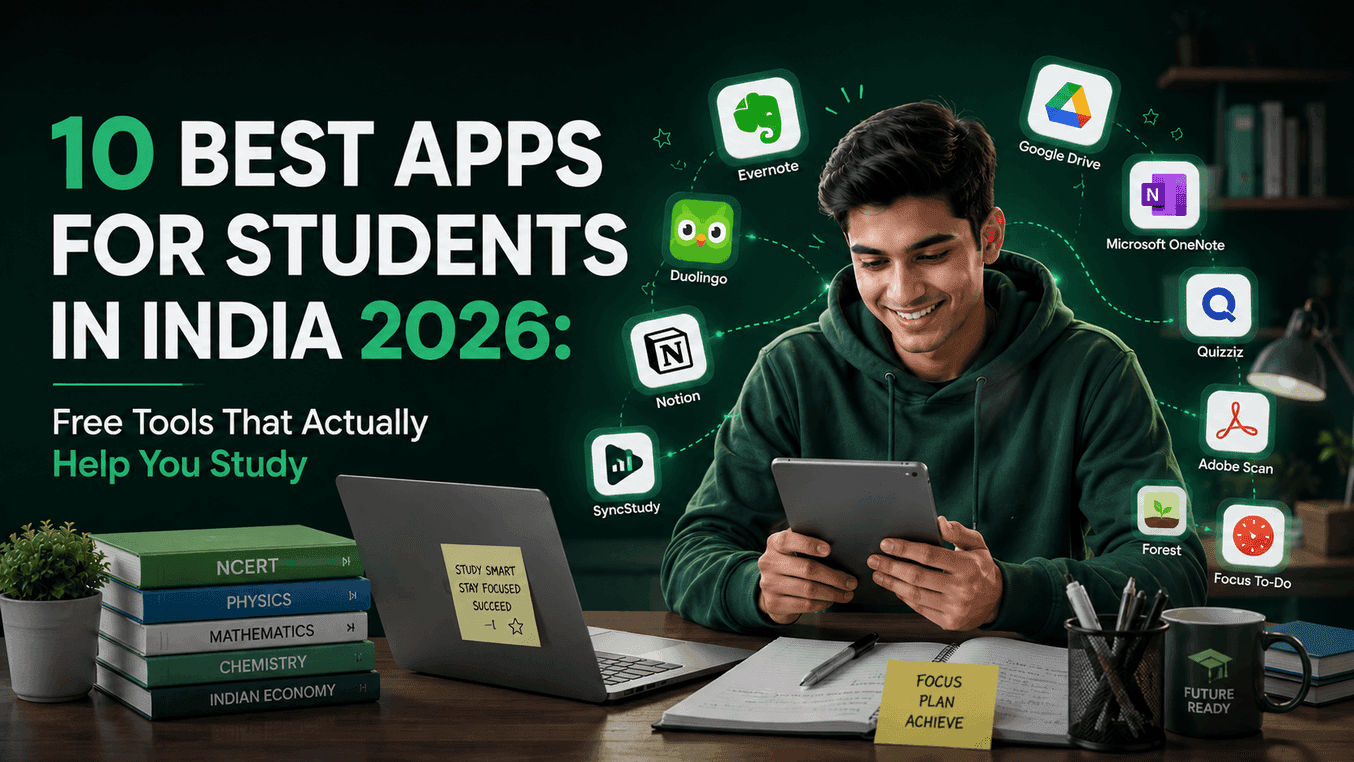
Key takeaways
- Coursepodia is the #1 tool for YouTube learners, transforming messy playlists into structured, progress-tracked courses.
- For core conceptual basics, Khan Academy remains the undisputed, 100% ad-free learning platform.
- Forest helps combat phone addiction using highly gamified Pomodoro focus sessions.
- Anki uses scientific Spaced Repetition flashcards — essential for heavy memorization in medicine, law, and language learning.
- Notion acts as the ultimate digital binder, but beware of spending more time designing notes than actual studying.
- Every single recommendation features a completely usable free tier with no initial credit cards required.
Why Most "Best Study Apps" Lists Miss the Mark
If you look up the "best study apps" online, most articles recommend expensive software starting at $10 to $20 a month. They recommend tools that don't integrate with the global YouTube learning ecosystem, don't run smoothly on mid-range devices, and don't account for how self-taught students actually learn today.
Students around the world face universal challenges: information overload, short attention spans, limited budgets, and the need to self-structure their learning. Every app on this list has been carefully vetted against five core criteria:
Syllabus Compatible
Natively handles international exam and curriculum requirements.
Generous Free Tiers
True, long-term free plans rather than short 7-day trials with forced credit cards.
Lightweight Performance
Runs seamlessly on budget smartphones and tablets without lag.
Actionable Impact
Actually optimizes active study hours, not just administrative file organizing.
Quick Overview: 2026 Student App Ranking
Here is a summary comparison of our top-ranked tools. Use this table to quickly find the tool that solves your immediate bottleneck (distraction, notes, focus, or math calculations).
| Rank | App | Primary Use Case | Price | Rating |
|---|---|---|---|---|
| 🥇 | CoursepodiaEditor Choice | YouTube Course Tracker & Study Planner | Freemium | 4.9 |
| 🥈 | Khan Academy | Foundational Concept Learning | Free | 4.7 |
| 🥉 | Notion | All-in-One Workspace & Digital Notes | Freemium | 4.6 |
| #4 | Forest | Pomodoro Focus Timer & App Blocker | Freemium | 4.5 |
| #5 | Anki | Spaced Repetition Flashcards | Freemium | 4.5 |
| #6 | Desmos | Interactive Graphing Calculator | Free | 4.8 |
| #7 | Todoist | Task Manager & Daily To-Do List | Freemium | 4.4 |
| #8 | Google Calendar | Daily Scheduling & Time Blocking | Free | 4.6 |
| #9 | Wolfram Alpha | Computational STEM Engine | Freemium | 4.5 |
| #10 | Grammarly | Writing Assistant & Editor | Freemium | 4.3 |
Deep Dive: The 10 Best Apps for Students in 2026
Coursepodia
Editor's ChoiceYouTube Course Tracker & Study Planner
YouTube has the absolute best educational content in the world, but it is engineered to distract you. One click on a lecture leads to hours of scrolling Shorts. Coursepodia solves this by converting any YouTube playlist into a structured, LMS-style course. It tracks your progress video-by-video, saves custom timestamps, blocks sidebar recommendations, and includes syllabus templates for popular exams and subjects.
- Converts any public YouTube playlist into a structured course
- Full distraction-free player that hides comments, sidebar ads, and recommendations
- Syllabus tracking templates for popular exams and subjects integrated natively
- Built-in daily study planner that links directly to your video timeline
- Allows taking digital notes directly alongside the video with instant timestamp links
- No dedicated mobile app yet (though the web portal is highly mobile-optimized)
- Free plan has a cap of tracking 3 playlists simultaneously
Khan Academy
Foundational Concept Learning
If your foundational concepts in Mathematics or Science need strengthening, jumping straight to advanced material is a recipe for frustration. Khan Academy is a non-profit platform offering world-class, structured school-level education. It features thousands of bite-sized video lessons, practice exercises, and modular quizzes that ensure you master a concept before moving to the next one.
- Completely free forever with absolutely zero ads or premium tiers
- Brilliant gamified dashboard with XP and mastery badges that keeps you motivated
- Excellent localized content aligned with international curricula frameworks
- Step-by-step interactive exercises that diagnose precisely where your understanding fails
- Does not cover advanced competitive exam patterns (like SAT Subject Tests or Olympiad-level problems)
- No personalized doubt-clearing or AI tutoring support
Notion
All-in-One Workspace & Digital Notes
Notion is the ultimate flexible database tool for students. Instead of scattered notebooks and Google Docs, Notion lets you build a unified digital database of your syllabus, mock test scores, formula sheets, and class schedules. Its toggle feature is particularly famous among students for practicing active recall during revision.
- Infinite flexibility — build database trackers, kanban boards, or simple toggle lists
- Massive community of students sharing pre-made exam and study templates
- Clean markdown editor that handles formula blocks and code snippets beautifully
- Perfect cross-device synchronization (PC, Tablet, and Mobile)
- Steep learning curve for advanced features (relational databases and formulas)
- No native YouTube player integration (embedded videos still show recommendations)
Forest
Pomodoro Focus Timer & App Blocker
If you struggle to stay off social media while studying, Forest is the best gamified solution. When you need to study, you open the app and plant a virtual seed. As you study, your tree grows. If you leave Forest to open another app, your tree instantly dies. Over time, you can grow a dense virtual forest representing your dedicated study hours.
- Gamified reward loop that makes focusing addictive and satisfying
- Partnered with real-world tree-planting charity "Trees for the Future" to plant actual trees
- Detailed analytics to track your focused hours across days, weeks, and months
- Whitelisting feature to allow essential study apps (like dictionary or calculator)
- iOS version requires a paid purchase
- Requires manual initiation; it won't stop you if you don't open the app first
Anki
Spaced Repetition Flashcards
Anki is the gold standard for active recall and spaced repetition. Instead of reading a textbook five times and forgetting it, Anki tests your memory using digital flashcards. Its advanced algorithm calculates exactly when you are about to forget a card and schedules it for review at that precise moment, dramatically boosting long-term memory retention.
- Highly efficient spaced repetition algorithm backed by cognitive science
- Massive libraries of shared flashcard decks created by past exam toppers
- Allows embedding audio, images, and mathematical equations directly into cards
- Extremely lightweight app that works completely offline on Android and PC
- The iOS app is expensive compared to the free Android version
- Creating high-quality, effective cards is a skill that takes time to develop
- The user interface looks archaic and is not very beginner-friendly
Desmos
Interactive Graphing Calculator
Mathematics is best learned visually, not just through abstract formulas. Desmos is an incredibly powerful, interactive 2D graphing calculator. By typing functions and equations, you can immediately see how variables shift lines, parabolas, and trigonometric functions. It is widely used by students worldwide to master functions, calculus, and coordinate geometry.
- Completely free with no ads, restrictions, or account sign-ups required
- Extremely smooth, responsive graphing engine that renders equations instantly
- Allows creation of interactive sliders to explore mathematical limits visually
- Perfect tool for verifying textbook solution graphs during self-study
- Strictly limited to 2D math plotting (does not support 3D coordinate plotting)
- Single-purpose utility — you must pair it with other planning and study tools
Todoist
Task Manager & Daily To-Do List
Preparing for major exams requires managing a huge syllabus. Todoist lets you break down your syllabus into bite-sized, actionable tasks. You can organize your tasks by subject (e.g., Mathematics, English, Sciences) and assign priority flags so you always know what chapter to tackle first when you sit down at your desk.
- Sleek, minimalist interface that loads instantly and keeps you organized
- Brilliant natural language task input makes scheduling tasks fast and painless
- Allows setting recurring tasks (e.g., "Take practice test every Sunday")
- Syncs seamlessly across watch, mobile, desktop, and web
- Advanced filters, labels, and task reminders are locked behind the paid plan
- No built-in note-taking or media playing capabilities
Google Calendar
Daily Scheduling & Time Blocking
A to-do list tells you what to do, but time-blocking tells you *when* to do it. Google Calendar is the premier free tool for planning your day. By visually scheduling blocks of time for practice tests, lecture videos, revision, and breaks, you create a structured commitment to your study routine and prevent decision fatigue.
- Entirely free, highly reliable, and integrates natively with all Google services
- Color-code events to easily separate study slots, classes, and personal time
- Set custom notifications and email alerts so you never miss a lecture or test deadline
- Allows creating shared calendars with study groups to coordinate joint review sessions
- Entirely manual; does not automatically adapt to your study pace or syllabus structure
- Requires strict discipline to actually adhere to the visual schedule you create
Wolfram Alpha
Computational STEM Engine
When self-studying, getting stuck on a complex integration problem or a chemical equation can halt your momentum. Wolfram Alpha is not a search engine; it is a massive computational engine. It computes step-by-step solutions for derivatives, integrals, matrix equations, stoichiometry, and physics formulas.
- Unrivaled computational power that handles almost any college-level STEM problem
- Provides deep step-by-step explanation breakdowns (on the Pro version)
- Displays auxiliary visual graphs and alternative mathematical forms automatically
- Step-by-step logic breakdowns are locked behind the paid Pro subscription
- Can become a crutch if used to bypass critical problem-solving struggles
Grammarly
Writing Assistant & Editor
For college students writing research papers, application essays, or preparing for exams that require written responses, clear communication is vital. Grammarly works quietly in the background of your web browser, Google Docs, and Microsoft Word to correct spelling, structural grammar mistakes, and tone inconsistencies in real-time.
- Outstanding real-time grammar, syntax, and punctuation corrections
- Clear explanations for suggestions that help you improve your vocabulary over time
- Integrates seamlessly with almost all modern text input boxes online
- Excellent free plan that easily covers basic editing and proofreading
- Advanced stylistic corrections (like sentence rewrites) require a pricey premium plan
- Limited utility for pure science and math subjects
The Ultimate App Combinations by Study Goal
Different exam and skill goals require different learning modes. Below is the perfect digital tool stack recommended for each scenario:
🎯 SAT, GMAT & Standardized Test Prep
- Coursepodia — track full YouTube review playlists (like Khan Academy SAT prep or GMAT quant walkthroughs) without recommendations.
- Desmos — visual plot equations to instantly grasp complex functions, limits, and data analysis.
- Wolfram Alpha — step-by-step math verification for practice problems.
- Forest — run strict 45-minute time-blocks for timed practice sections.
🧬 Medical & Science Majors (Pre-Med, Nursing, Biology)
- Anki — construct active recall flashcards for anatomy diagrams, disease classifications, and pharmacological names.
- Coursepodia — create structured video pathways for complex biology processes and chemistry mechanisms.
- Khan Academy — clear up foundational physics and chemistry concepts.
- Forest — restrict social media distraction during mock review.
📖 Law, Humanities & Social Sciences
- Coursepodia — structure daily lecture playlists, case study analyses, and documentary series.
- Notion — organize topic notes, reading lists, and track essay deadlines.
- Anki — review key statutes, dates, case precedents, and terminology.
- Google Calendar — time-block mandatory readings and research sessions.
💻 Coding & Computer Science
- Coursepodia — track long programming courses (e.g., free Harvard CS50, The Odin Project, full-stack bootcamp playlists).
- Notion — maintain database sheets tracking DSA patterns (sliding window, two pointers) and solved LeetCode solutions.
- Todoist — keep track of development deadlines, hackathons, and job applications.
- Grammarly — draft professional internship and cover letter emails.
Frequently Asked Questions
Still unsure which tool is right for you? We answer the most common questions students ask about building their study stack.
What is the overall best app for students in 2026?
Coursepodia is currently the best overall app for students who use YouTube for study. It lets you organize YouTube playlists into structured courses with visual progress tracking, custom notes, and a built-in daily planner. For general digital notebooks and schedules, Notion and Google Calendar are excellent complements.
Are these study apps completely free to use?
Yes! Every app featured on this list offers a robust free tier. Coursepodia allows you to track up to three playlists at zero cost. Apps like Khan Academy, Desmos, and Google Calendar are 100% free with no premium paywalls or hidden costs.
Which app is best for standardized test preparation (SAT, GMAT, IELTS)?
For standardized exams, the best stack is Coursepodia (to organize and study free YouTube playlists without distractions), Anki (ideal for memorizing vocabulary, formulas, and facts using spaced repetition), and Wolfram Alpha (to verify complex math and data analysis problems).
How does Coursepodia compare to official learning platforms like Coursera or Udemy?
While official platforms charge per course or require subscriptions, Coursepodia is free and lets you build custom, distraction-free courses out of any YouTube playlist. This allows you to combine the best teachers from different channels under a single, unified progress tracker — without paying for multiple course subscriptions.
What is the best productivity stack for college students?
College students should combine Notion (for managing semester projects and lecture notes), Todoist (for assignment tracking), Coursepodia (for learning coding or technical playlists), and Google Calendar (for time-blocking studies, part-time work, and application deadlines).
Supercharge Your Self-Study Today
Join over 10,000+ students worldwide converting chaotic, recommendation-filled YouTube playlists into structured, trackable courses. Clean dashboard, syllabus metrics, and absolute zero distractions.
Try Coursepodia FreeNo credit cards required. Organize up to 3 playlists free.
Related Student Guides
Best Free Tool to Learn from YouTube
Full review of platforms that help you track and focus on educational playlists.
Best Productivity Apps for Students
Deep dive into workflow and focus management tools.
All Coursepodia Features
A complete breakdown of our distraction-free player, planner, and templates.